How to plan Big Job visits and phases
Book each visit, set its phase and crew, and see what's done at a glance.
Phases
Phases are the stages of the job. The default ones are Pre-wire / rough-in, Trim-out / finish, Programming & activation and Walkthrough & closeout. Press Edit phases to rename them, add your own or change the order.
A phase shows as done when all its visits are completed. The phase strip at the top shows progress, for example "Trim-out / finish · 0/1".
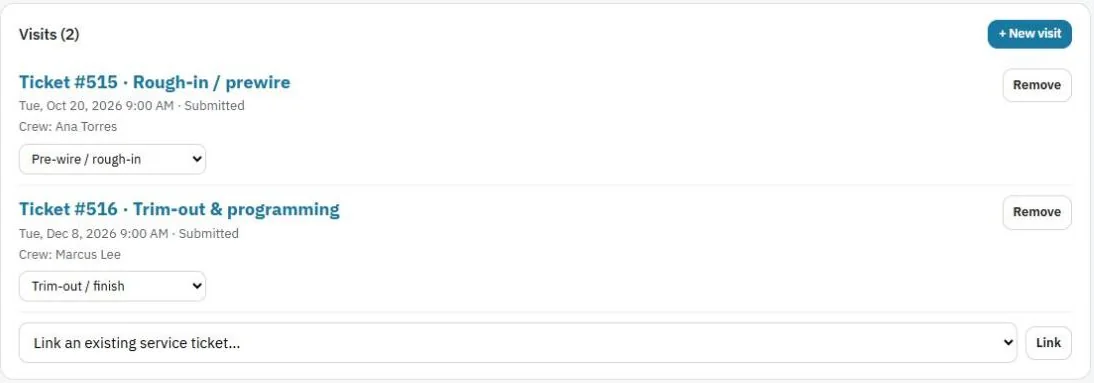
Visits
Each visit is a regular service ticket that belongs to the Big Job.
- + New visit books the next visit with the client and address filled in.
- Link an existing service ticket… adds a ticket you already booked.
- Use the Phase… picker on each visit to set its phase.
- Each visit shows its date, status and crew.
Techs work the visit on their phone like any other job, and the hours, mileage and items count toward the Big Job.
Was this guide helpful?
Related guides
How to create a Big JobHow to send more than one tech or a helperHow to put a Big Job on holdStill stuck? Inside JobBills, press the round ? button to ask the help chat, or email support@jobbills.com.