How to close out a Big Job
Final walkthrough, customer sign-off, warranty and starting monitoring.
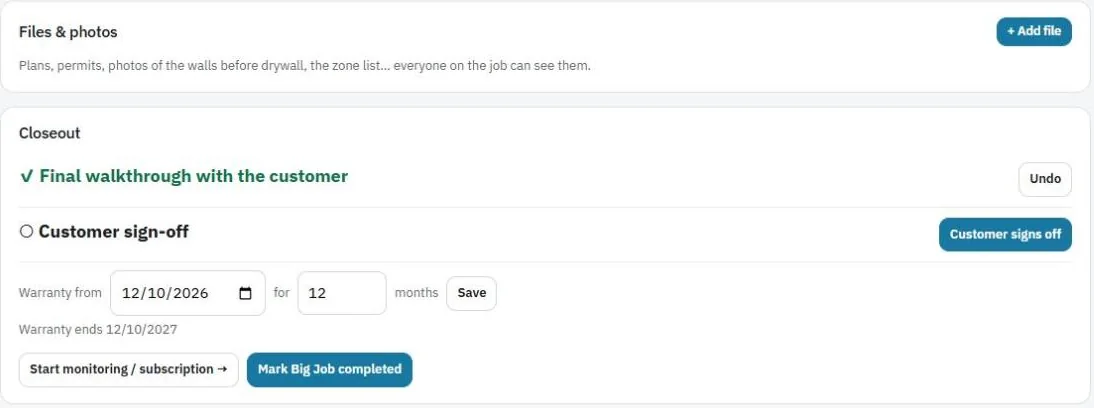
The Closeout card walks you through finishing the job.
- Final walkthrough with the customer. Check it off when done.
- Customer sign-off. Press Customer signs off. The customer types their name and signs on your device.
- Warranty. Set the start date and how many months, then press Save. The end date is shown.
- Start monitoring / subscription. Opens the client's page to set up their monthly plan. See Bill a client every month.
- Press Mark Big Job completed.
Files & photos
Use Files & photos during the job for plans, permits, photos of the walls before drywall and the zone list. Everyone on the job can see them.
Tip: Before closing, check Left to bill on the Money card is $0.00, so nothing is forgotten.
Was this guide helpful?
Related guides
How to create a Big JobHow to bill a Big Job in stepsHow to bill a client every month or year (subscriptions)Still stuck? Inside JobBills, press the round ? button to ask the help chat, or email support@jobbills.com.