How to take a deposit on an estimate
Record a deposit paid by cash or check, or charge a card, before the work starts.
Record a deposit
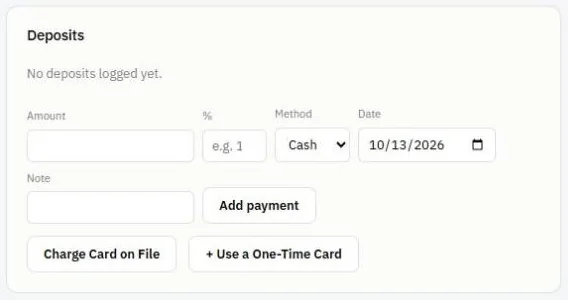
- Open the estimate and scroll to Deposits.
- Type the Amount, or a % of the estimate (for example 30).
- Pick the Method: Cash, Check, Card or Other.
- Set the Date and add a Note if you like, for example the check number.
- Press Add payment.
Charge a card (needs Stripe)
- Charge Card on File charges a card the customer already saved.
- + Use a One-Time Card lets you type a card for this payment only.
Card charges only happen after you confirm the amount.
What happens to the deposit
When you turn the estimate into an invoice, the deposit is counted as paid, so the invoice shows the right balance due.
Tip: For Big Jobs, you can bill the deposit as the first step of a billing schedule instead. See Bill a Big Job in steps.
Was this guide helpful?
Related guides
How to send an estimate for approvalHow to turn an estimate into an invoice or a jobHow to take a paymentStill stuck? Inside JobBills, press the round ? button to ask the help chat, or email support@jobbills.com.