How to set up a job checklist
Make sure techs finish the important steps before a job can be completed.
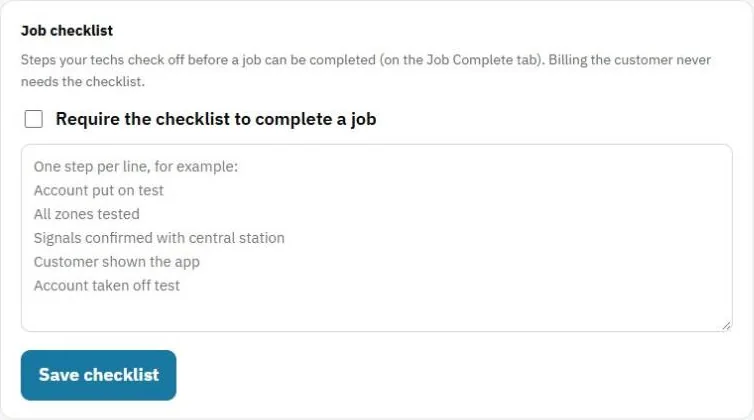
A checklist is a list of steps techs check off on the Job Complete tab, for example "Tested all zones" or "Showed the customer the app".
Set it up
- Go to Settings and find Job checklist.
- Add each step on its own line.
- Check Require the checklist to complete a job if a job can't be completed until every step is checked.
- Press Save checklist.
Good to know
- Billing the customer never needs the checklist. Techs can still take a payment or send the invoice.
- Techs can also add their own checklist to one job with + Add a job checklist. Only they see it.
Was this guide helpful?
Related guides
How to work a job from start to finish (techs)How to track service tickets and their statusHow to add your teamStill stuck? Inside JobBills, press the round ? button to ask the help chat, or email support@jobbills.com.